
Wildies App Installation Errors and Fixes
Encountering problems while trying to install the Wildies casino app is a common frustration that can prevent you from accessing your favorite games and claiming your Wildies bonus. This guide provides a practical, step-by-step walkthrough of the most frequent installation errors and their concrete solutions, ensuring you can get back to playing without delay.
Common Wildies App Installation Errors
Before diving into fixes, it’s helpful to identify the specific error message you’re receiving. These errors typically fall into a few categories related to device compatibility, storage, or security settings. The most common messages include “App not installed,” “Download failed,” or a generic error code. Often, this is simply because your device’s security settings are blocking installations from unknown sources, a necessary step for downloading the Wildies app directly from their website. Another typical culprit is insufficient storage space on your device, as the app and its subsequent game data can require a significant amount of free memory.
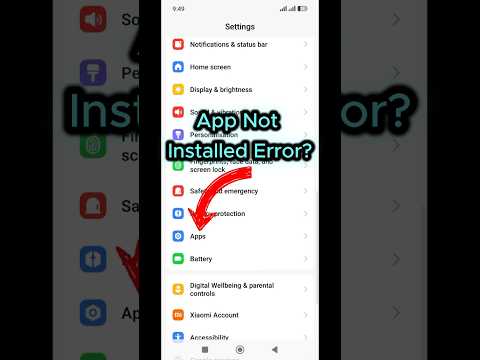
Step-by-Step Troubleshooting Guide
Follow this methodical approach to resolve your installation issue. Start with the simplest solution first.
- Enable Unknown Sources: Navigate to your device’s Settings > Security. Find the option labeled “Unknown sources” or “Install unknown apps” and enable it for your internet browser (e.g., Chrome, Safari). This permits the installation of apps outside the official Google Play Store.
- Clear Storage Space: Check your device’s storage in Settings. If you have less than 500MB free, delete unused apps, photos, or cached data. The Wildies app requires adequate space to download and unpack.
- Redownload the APK File: The initial download might have been corrupted. Delete the partially downloaded file from your device’s “Downloads” folder and visit the official Wildies casino website to download a fresh copy of the installer.
- Restart Your Device: A simple reboot can clear temporary software glitches that interfere with the installation process. Turn your phone off completely and then back on before attempting the installation again.
- Check Android Version: Ensure your device is running a compatible version of Android (typically 5.0 Lollipop or higher). You can find this information in Settings > About Phone.
Device and System Requirements
To avoid installation problems from the start, ensure your device meets the minimum system requirements for the Wildies app. Failure to meet these specs will almost certainly result in an error.
| Component | Minimum Requirement | Recommended |
|---|---|---|
| Operating System | Android 5.0 (Lollipop) | Android 8.0 (Oreo) or higher |
| RAM | 2GB | 4GB or more |
| Free Storage Space | 500MB | 1GB+ |
| Internet Connection | Stable 3G | Stable 4G/LTE or Wi-Fi |
Post-Installation: Logging In and Claiming Bonuses
Once successfully installed, open the Wildies app and log in with your existing credentials. If you are a new player, you will need to complete a quick registration process. This is the perfect time to claim any welcome offers. Be sure to enter any available Wildies promo code in the designated field before making your first deposit to ensure you receive the full bonus package, which often includes a Wildies no deposit offer and a match bonus accompanied by Wildies free spins on selected slot games.
When to Contact Support
If you have diligently followed all the steps above and the installation still fails, the problem may be more complex. In this case, it’s best to contact Wildies customer support directly. They can provide assistance tailored to your specific device and error message. Have your device model and Android version ready to share with the support agent for a faster resolution. You can always find the latest official app link and support contact information at Wildies.
By understanding these common hurdles and their solutions, you can quickly overcome installation errors and enjoy a seamless mobile gaming experience with wildies. Remember to only ever download the app from the official source to guarantee security and access to the latest version.